| Tool | Description | Status |
|---|
| SVG Editor Lite | Lightweight SVG editor | LIVE |
| Brighten EDA Dark Theme | Make EDA screenshots readable | LIVE |
| Calibre DRC / LVS GUI | Browser GUI to launch Calibre DRC/LVS in your shell env — prefill from logs, auto module-load, newest-deck discovery, live ETA, result compare | GITHUB PRIVATE |
| Maestro → ADE XL Converter GUI | Browser GUI that converts a Cadence ADE Assembler/Explorer (maestro) setup into a legacy ADE XL (adexl) cellview from the full path of a maestro view — pure file transform in your shell env (no Virtuoso needed), live log, and a per-file fidelity report diffing against any existing adexl view for the cell | GITHUB PRIVATE |
| SimVision .trn Snapshot → Static-Source Stub | Freeze a digital sub-block so the analog around it can be simulated without co-simulating it. Pick a block scope and a time out of a SimVision .trn; get a SKILL script that builds <lib>/<cell>/schematic_<xxx> beside the block’s existing schematic. The new view keeps the same interface — every pin recreated with its original name, direction and location, so it drops straight in under the existing symbol — but the insides are gone: inputs and supplies are left floating for the testbench to drive, and every output pin is tied to an analogLib/vdc at the design variable VDD (logic 1) or 0 (logic 0), matching that signal at the snapshot instant. Buses expand per bit (state<3:0> → four sources); x/z outputs are reported and left floating rather than guessed, with a per-pin override. HTML GUI (scope tree, snap-to-nearest-transition, value table) plus a headless CLI, and the generated SKILL self-checks its own connectivity after schCheck. Verified on IC618 against a 9-pin cell with scalar, 4-bit and 2-bit output buses: 9 sources, 9 connected, 0 unconnected. Private repo. | GITHUB PRIVATE |
| 🌊 xrun SHM Run Finder → SimVision | Finds the waveform database you actually meant to open. Walks the places Xcelium runs land — /sim/$USER and a dozen site variants, auto-detected or remembered — for every *.shm/*.trn, and writes one self-contained HTML page: a sortable, filterable table of runs carrying the facts you would otherwise open a log to learn (-top, whether the run reached $finish or died on *E,/*F, lines, the $finish time, the size of the whole .shm directory, its age), and a per-row button that copies the exact cd <run dir> && simvision waves.shm/waves.trn -input probes.svcf &. It keeps the three things nobody wants to keep notes on: the sim directories (--save-dirs), which .svcf goes with which design top — keyed on the top, not the directory, plus a library that follows you across projects — and every command it has handed out, newest first. --serve makes those durable from the browser and --allow-launch lets a row start SimVision itself, on the sim host, from the run's own directory; --latest prints the newest run's command for a shell alias. Python 3 standard library only, one file to copy to the server, 46 self-tests over the scan, the log parsing, the shell quoting and the page. Private repo. | GITHUB PRIVATE |
| Run .csh + ihdl lock-check GUI | Run a .csh in your shell env with a Cliosoft-SOS lock-check guard for Cadence ihdl (verify schematic/symbol aren't checked out first) — live log + ETA | GITHUB PRIVATE |
| ADE XL Pass/Fail Dashboard | Browser dashboard for Cadence ADE XL / Assembler pass-fail tests — scans libraries for specs, reads pass/fail straight from the results SQLite DB (color-coded, last-checked timestamps), pick tests and launch runs from your shell env with live % / ETA and a timestamped run log | GITHUB PRIVATE |
| 🎨 ADE Highlight ↔ ViVA Trace Colour Match (private — SKILL; one command) | One command so a net’s schematic highlight colour equals its ViVA waveform trace colour, and both draw thick solid — so with five nets plotted from an ADE XL output you can still tell which curve is which net you clicked. ADE and ViVA colour the same net from two unrelated display-packet sets: traces from y0…y15 via awviPenIndexToColor(n), highlights from hilite…hilite9 via envGetVal("ab" "highlightColors"). Stock IC6.1.8 has 9 of the 10 slots disagreeing (trace 1 red, its net magenta), and hilite1 and hilite8 are both magenta by default, so two different nets highlight identically. adeHiliteMatch() reads the colour of each ViVA pen, writes a small DRF of its own that redefines hilite<i> with that colour and a thick line style, loads it with drLoadDrf, and sets ViVA’s own trace render to thick + solid. Everything it writes goes to ~/.ade_hilite_match.drf — it never edits the PDK DRF, your display.drf, or any file you did not name. ./adehilite installs a managed block in ~/.cdsinit (backing it up first) so every Virtuoso session comes up matched; for the Virtuoso already running it prints the single load("…/ade_hilite_match.il") adeHilite() line to paste in the CIW, then reload the schematic window to recolour nets already highlighted. Packet existence is probed against IC6.1.8’s fall-back packet, so “drGetPacket returned something” is not mistaken for “the DRF defines it”. Only 10 highlight slots exist against 16 ViVA pens, so traces 11–16 have no highlight colour to match — an ADE limit, not a limit of this tool. Private repo. | GITHUB PRIVATE |
| Cadence Config-View Manager | View, edit, bulk-rebind and compare Hierarchy-Editor config views (expand.cfg) — scans libraries for config views, assign cell/instance views by drop-down (real on-disk views resolved via cds.lib), filter + sort + multi-select bulk rebind, save back (with .bak), and diff config_set1 vs config_set2 | GITHUB PRIVATE |
| gm/ID PDK Characterization | PDK-agnostic MOSFET gm/ID characterization CLI (Cadence Spectre) — sweeps every device flavor to build a gm/ID lookup table, plus an offline interactive HTML viewer for the LUT. Private repo. | GITHUB PRIVATE |
| Eliminating Multipliers with Log / LNS Arithmetic (SKY130) | Two RTL builds of the same multiply-compare kernel (A·B + C·D) > Vth (10-bit inputs) — one with real multipliers, one multiplier-free via a K=2 logarithmic (LNS) datapath: leading-one detector + 2 mantissa bits, logs added, combined by an LNS add s = max(x,y) + F(|x−y|) where F(d) = log₂(1+2−d) collapses to a 79-entry 1-D ROM. Synthesized on the open sky130 HD library: −57.5% standard-cell area (8846 → 3761 µm²), −57.8% estimated power, both multipliers eliminated, at a 2.84% disagreement with exact math — the K=2 approximation cost, measured over a 4 M-combo Monte-Carlo rather than assumed. One Python golden model emits the ROM the Verilog consumes, so model and hardware cannot drift; RTL verified bit-exact over 58,139 vectors. The Vth′ correction block is also carried to real layout in Cadence (tcb018, Innovus, 0 DRC violations). Private repo. | GITHUB PRIVATE |
| Spectre Spec Re-run | CLI that replays a Cadence Spectre run from its own spectre.out log: reads the deck's assert spec checks, re-runs the identical command (same -format, ++aps, -64 …) into a fresh raw dir so the old results survive, then writes one self-contained HTML report putting the checks side by side — NEWLY violated / still violated / clean. Also dates the run against the schematic's netlist timestamp, so results that came from a stale deck are flagged rather than trusted. Prints a file:// link to the report; exit status 0 / 1 / 2 so a nightly script can just check it. Python 3 stdlib only — no numpy, no Cadence tooling to install. Private repo. | GITHUB PRIVATE |
| ⚡ Transient Convergence BKMs | What to do when a transient will not converge, as copy-paste rather than folklore. Seven short docs — read the log first; method=gear2only + cmin + more Newton iterations before anything else; tighten, do not loosen (errpreset=conservative fixes time step too small more often than liberal, which takes bigger steps into the same discontinuity); and define the starting state instead of hiding a high-Z node behind a tolerance. Four ways to put every high-Z node at 0 V: ic statements generated from the log's own No DC path warnings, skipdc=yes with the supplies ramped from 0 so t=0 is genuinely consistent, a Verilog-A startup clamp that holds past t=0 and releases through a transition() instead of a step, or cmin/bleeders — with the cases where each one lies to you (both sides of a latch at 0 V is the metastable point; a raised gmin is your droop measurement). Pasteable Spectre option menus, ic/nodeset/readic recipes, HSPICE equivalents, a CIW SKILL library (presets for ADE L and ADE Explorer, plus a high-Z net finder that reports nets whose every connection is a MOS gate or a cap), an OCEAN ladder that runs the settings unattended and reports which one got through, and three stdlib-Python tools: a spectre.out doctor (HTML report, DASH_ tile markers, and a generated fix snippet), an input.scs patcher that keeps ADE's own results untouched, and an all-nodes-to-0 V IC generator. No PDK or design data — generic syntax and synthetic samples only. | GITHUB PUBLIC |
| 📐 Cadence Schematic → Hierarchical .scs Browser | CLI that netlists a Cadence lib/cell/view to a full-hierarchy Spectre .scs (standalone si driven from a generated si.env, or your own --netlist-cmd, or an existing netlist passed straight through) and writes one self-contained HTML page beside it. A hierarchy browser with +/− on every block shows each level's five biggest blocks — ranked by flattened leaf-device count, not by netlist order — followed by a … N more row, so the interesting blocks stay on screen instead of drowning in decaps and buffers. Bussed instances (XD<0:9>) count as the ten devices they really are; recursive subckts are detected, marked, and stopped rather than hanging the page. Below it a 20-line netlist window with line numbers: clicking a block jumps to its subckt and highlights the whole definition, and a regex search (hinted <0> — bit 0 of every bus) steps matches, filters to matching lines only, and turns red with the actual error on a bad pattern. One-click copy of the whole .scs, or save it through the browser. The path box on top is prefilled from the command line and re-netlists a different cell — printing the command in the static page, live over loopback under --serve (tunnel it like VNC). The tree is expanded lazily from a flat per-subckt model, so deep repetition never blows up. Python 3 stdlib only, no CDN or network calls in the report; 13 unit tests over continuations, bus widths, recursion termination and </script> injection. Private repo. | GITHUB PRIVATE |
| 🗺️ GDS Dashboard — compare two GDSII layouts | CLI that puts two GDSII files side by side in one self-contained HTML page: gds_dashboard.py --file1 rev1.gds --file2 rev2.gds. Each file gets a layout outline drawn from its own geometry — boundaries filled, paths stroked at their real width, per-layer colours and visibility toggles, drag/wheel pan and zoom — and lock views together ties both viewers to the same micrometre coordinates, so panning one pans the other, which is the point when the two files are two revisions of the same die. The drawing runs on a shape budget expanded biggest-on-screen-first; whatever the budget cannot reach is drawn as its cell bounding box, so even a 32 MB flat fill file with 500k boundaries in a single structure gives a real outline instead of an empty rectangle. Beside it: a summary table (library, database unit, top cell, structures, hierarchy depth, die width/height/area, layers, element and vertex counts, flattened shape and instance counts) with every differing row highlighted and given a Δ and a percentage; one collapsible hierarchy tree per file where every cell shows its five largest sub-cells and folds the rest into a single … N more sub-cells row, each row carrying its instance multiplier, flattened shape count and bounding box, with cells missing from the other file badged only here and changed cells badged differs; a per-layer table with flattened area in µm²; and a cell-by-cell diff (only in A / only in B / changed / identical). The GDSII stream parser is written against the format spec, so the tool needs nothing but the Python 3 standard library — no gdstk, no gdspy, no pip — which is what makes it usable on a server where installing a layout toolkit is not an option; .gds and gzip .gds.gz both read. Two 3 MB hierarchical chips (415 and 351 cells, 3.1M and 5.4M flattened shapes) compare in ~4 s. 45 self-tests (--self-test) over the 8-byte GDSII real codec, record parsing, AREF COLROW handling, top-cell detection, bounding boxes through rotation and mirroring, transform composition, the flattening budget and its fall-back to cell boxes, gzip input and the generated page. --demo writes two synthetic chip revisions (pad ring, seal ring, SRAM array, logic rows, analog block) and compares them, so it runs with no design data at all. | GITHUB PUBLIC |
| ESD / IO Pin Tracer (private — offline; usable locally) | Offline HTML tool: generate copy-ready SKILL for the CIW that traces schematic pad nets through the hierarchy (resistors as shorts) down to transistors and dumps a CSV; the page renders a grouped, per-column filter/sort table (pin rowspan merge) with per-pin summaries — output driver ΣW and estimated input Cin | GITHUB PRIVATE |
| TSMC Transistor Flavors | Editable CSV of TSMC node × flavor → approximate (public) gate-cap Cox, used by the ESD/IO Pin Tracer to estimate input capacitance. Values are placeholders to replace with your PDK's numbers | GITHUB PRIVATE |
| Verilog Pin Mismatch Debugger (private — offline; usable locally) | Offline HTML tool: generate copy-ready SKILL for the CIW that dumps a schematic view's terminals, paste it back, and diff against a SystemVerilog module — highlights pin name / direction / width mismatches (bus <7:0> ↔ [7:0], inputOutput ↔ inout) | GITHUB PRIVATE |
| 🔌 SimVision .trn → Interactive Schematic (repo) | Point trn2schematic.py at a Cadence SimVision SHM database (waves.shm/waves.trn) and get one self-contained HTML schematic — no Virtuoso, no server, no netlist. An SHM file carries no connectivity, so the netlist is recovered from the waveforms themselves: signals whose transition traces are bit-exact identical are the same net, fingerprinted per bit, so fa_chain[2].fa.cin resolves to dut.carry[2] and .a to dut.a[2]. Hierarchy comes from the $scope tree (empty generate wrappers fold into the block label) and pin direction from simvisdbutil -reginput. In the browser: opens at the top level, double-click a block to expand it in place while its unselected peers are ignored, shift-click to drop a net or pin, drag blocks to rearrange (wires re-route live), and click any wire/pin to probe its waveform in the pane below — the transition data travels inside the page. Reads a .vcd too, so it works with no Cadence tools at all | LIVE GITHUB PUBLIC |
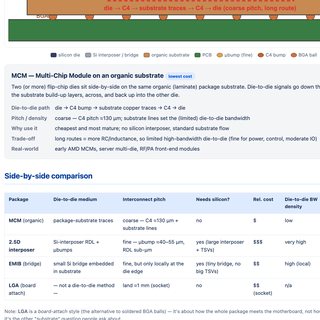
| MCM / Package Browser (repo) | Single-file viewer for a flip-chip BGA-on-substrate package: 2-D layer-by-layer top view (per-layer visibility / solo / net-highlight / hover-for-net, pan & zoom) and a 3-D exploded stack (soldermask → metals / planes → core → metals, with die + C4 bumps + BGA balls + via pillars; orbit / zoom / explode / auto-spin). Ships a sample FCBGA; Load JSON accepts a neutral package-JSON exported from a Cadence .mcm (extracta / IPC-2581 / ODB++) | LIVE GITHUB PUBLIC |
| SVG Editor Lite (repo) | Single-file, offline in-browser SVG editor: draw / select / snap / freehand doodle, live element tree, theming, and session auto-save to localStorage | LIVE GITHUB PUBLIC |
| Voice to SVG | Voice → vector graphics | GITHUB PUBLIC |
| 🧩 Dashboard Integration Format | The house format every tool here follows so a new .py and its .html drop into one master dashboard as a live tile: five DASH_ marker lines on stdout carry status, summary and metrics; the task writes its own self-contained sub-page and announces it with DASH_HTML; one JSON object registers the tile. Standard-library Python, runnable standalone, and backward compatible — a script with no markers still scores itself from a verdict: line or its exit code. Written so Claude Code can build the next checker to spec instead of inventing another output shape | LIVE |
| Repo Summary | Auto-updating list of all published repos | LIVE |
| ls-home-notebook | Home notebook (Jupyter) | GITHUB PUBLIC |
| 🖨️ 3D Print Tools — Easy Support & 3D Browser (repo) | Two client-side tools. Easy Support: detects overhangs by grid-sampled downward raycasting and builds tapered supports with slim contact tips (default 4× smaller contact area) for clean removal — reads .3mf/.stl, exports a valid .3mf (+ .stl), measured reduction shown live. 3D Browser + editor: drag-and-drop viewer for STL / 3MF / OBJ / PLY / glTF with slicer-style mouse (left orbit, middle pan, wheel zoom) and mm dimensions — plus push/pull a flat face (M), detach a weakly-attached part chopped at its narrowest neck (O), and a surface-relative snapping ruler (K) | LIVE GITHUB PUBLIC |
| 📏 Circuit Stencil Ruler (3D print) | Printable circuit-drafting stencil ruler (190 × 118 × 3 mm): engraved cm + inch scales plus 19 through-cut schematic symbols traced faithfully from the source SVG (inverter/Schmitt, logic gates, latch & flip-flop, MOSFETs, resistor, inductor, capacitor, ground, diode, op-amp, V/I sources, meter, transformer, switch) that you trace with a pen. A Python generator (shapely + trimesh) parses template_ruler.svg, arranges/sizes the real shapes, and auto-adds tiny stencil bridges to every enclosed island (31 islands / 34 ties) so nothing drops out — the STL is one watertight solid. Ships the .stl, draft render and generator | GITHUB PUBLIC |
| 🧩 3D Markup + Overlay Viewer (repo) | Single-file, fully offline viewer for a 3D model that you can mark up in 2D and overlay for comparison. Reads .stl / .3mf / .obj (drag-drop or picker), all parsed locally. Overlays load on the same coordinates so a lid and its tile line up — rendered semi-transparent with an X-ray toggle to reveal overlap. Six orthographic views (top/bottom/front/back/left/right) plus a free isometric orbit, live mm scale bar and model dimensions. Draw pen / line / arrow / box markup (color palette + adjustable thickness) locked to the current view, then export the render + markup as a PNG. Three.js + JSZip inlined — no build, no network calls | LIVE GITHUB PUBLIC |
| ✂️ 3MF Point Editor (repo) | Single-file browser editor for reshaping a printable mesh by dragging its vertices, then exporting back to .3mf. Box-select points (Bambu-style navigation), drag free / locked to X-Y-Z / with a smooth soft-falloff radius, live Δ readout in mm. Import resolves <component> references recursively so assemblies and Bambu/Prusa build wrappers place every part, and vertices are welded on load so dragging a shared corner doesn't tear neighbouring triangles. ▱ Surface select grabs a whole parallel surface within an angle tolerance and moves it along Normal/U/V arrows; ⧉ Extrude duplicates a surface patch and bridges it. + Add solid drops in a box / oval / cylinder tool solid with numeric mm-and-degree size, position and rotation, then Merge ∪ or Cut ∖ it in via BSP CSG. ▽ Simplify is QEM edge-collapse decimation with a Keep % budget (default 15 %) — that's what turns a 70 k-triangle boolean'd plate into something you can actually drag point-by-point — and ✚ Heal welds, drops internal walls, fills holes and fixes winding until a live health badge reads watertight & manifold. Also 2-colour part merge for fit checks, ◧ glass transparency, and touch/pinch support on phones. Three.js + JSZip | LIVE GITHUB PUBLIC |
| 🔒 🧱 Giant 1x1 Brick — Cup + Lid Designer (private — offline) | Parametric designer for a scaled-up LEGO 1×1 that is itself built out of real LEGO construction — a cup and a matching lid, exported as one plate. One scale factor (4×–12× a real 1x1) drives the stud grid, the giant top stud and the body height together, so the part stays a legal brick at every size; floor height and lid thickness are quantised to LEGO plate/brick steps (3.20 / 9.60 mm) because a floor that is not a whole plate cannot accept studs underneath. The interesting constraint is fit: moulded LEGO runs a 6.51 mm tube against a 4.80 mm stud — 0.002 mm of radial clearance, which is a clutch when injection-moulded and a jam when printed, so every anti-stud here is deliberately opened up and the clearances are shown in their own table rather than buried in the mesh. Live 3D preview with assembled / exploded / half-section views, per-part visibility and opacity; a Z budget panel breaks the height into its layer stack so you can see where the millimetres went. Exports a .3mf carrying cup and lid as two separately coloured objects side by side on the plate (so the slicer can split and colour them), plus cup.stl / lid.stl and a copyable Python parameter block for the build script. Single self-contained HTML file — no build, no network calls | GITHUB PRIVATE |
| 🔒 🧩 Odd Brick — half-pitch clip-in editor (private — offline) | Parametric editor for a brick that clips into the middle of an already-built grid instead of on top of it. The footprint corners land on stud centres, not stud gaps, and brackets hug the outside of every boundary stud, so the part presses in at half-pitch offset from the host plate — which is what lets you add geometry to a wall you have already built without taking it apart. Set the N×M footprint and click cells to place top studs (each sits over the middle of the four host studs it binds). Fit is exposed as its own group — grip radius R, wall, bracket height, roof thickness, corner draft and a relief slit with its own width, the slit being what lets the bracket flex enough to snap on rather than shear. Separate bracket geometry for 90° corner, 180° edge, 360° inner and top stud. Live 3D view (drag orbit · right-drag pan · wheel zoom) with an underside view, an optional host plate to check interference, and explode-Z. Exports .3mf with a grip-Δ gap-tuning control and a sweep count, so you can print a ladder of fits and keep the one your printer actually holds. Single self-contained HTML file — no build, no network calls | GITHUB PRIVATE |
| 🔬 dd — Digital Discovery from the Command Line (repo) | Drives a Digilent Digital Discovery from a shell — logic analyzer, pattern generator, static IO, VIO rail and the I²C/SPI/UART engines — as Python + ctypes straight onto Digilent's libdwf, so there is nothing to pip-install and nothing to build. Captures stream to VCD (GTKWave/PulseView), CSV or raw binary without ever holding the run in memory, and each one ends with an activity summary naming the lines that actually toggled — the fix for a capture whose idle first screenful is indistinguishable from a dead probe. Pins are the silkscreen numbers (DIN0–23 input-only, DIO24–39 drivable); the SDK's 0-based indexing of DIO24–39 is derived from the device's own reported channel count rather than hardcoded. The pattern generator searches for a divider that divides the requested period exactly and warns when a frequency is off the 100 MHz/(divider × ticks) grid instead of silently returning a different clock. Because every invocation is its own process, the device is deliberately left running between commands, so dd capture cannot tear down a generator dd pattern just started. Ships two worked examples — rise/fall a GPIO pin, and drive a pin then capture its own edges with no wiring (DIO24–39 are shared between generator and analyzer). Verified on real hardware: 1 MHz on DIO24 lands on exactly 100/100 ticks (50.0% duty) at 200 MSa/s. A fake libdwf written in C lets the whole hardware path run with nothing plugged in — 145 assertions on the values that cross the ABI, which is what caught a genuine 13 ppm frequency bug. Documents the macOS trap where the SDK enumerates nothing (ERC: 3090) unless dwf.framework is copied to /Library/Frameworks — the WaveForms GUI works regardless, so it looks like anything but an install problem | LIVE GITHUB PUBLIC |
| 🎧 AirBoost — AirPods volume fix (Windows 10 / 11) | Windows tray app for the complaint that AirPods are too quiet even at 100%, built to fix the cause rather than paper over it. Windows maps its own master slider onto the headset's AVRCP absolute-volume scale and the top of that mapping lands well short of what AirPods will actually do, so AirBoost writes DisableAbsoluteVolume=1 and lets Windows send full-scale audio while the buds stay at their own level — on its own that is usually the whole fix, and it is a jump rather than a nudge. Second cause: the moment anything opens the Bluetooth mic the link drops from stereo A2DP to the mono, 8–16 kHz hands-free profile ("it went quiet and sounds like a phone call"), so it can disable the Hands-Free AG Audio endpoint to stop that switch. It elevates only for those registry writes — a JSON job handed to a runas copy of itself — and both are revertible from the same window. A watchdog then pins endpoint master, mute, per-channel and every per-app mixer volume at 100%, since a browser left at 30% looks identical to "Windows is quiet". When that still is not enough, the third step is a real amplifier: WASAPI loopback capture → resample → channel map → up to +24 dB through a feed-forward peak limiter (1.5 ms attack, 180 ms release, −1 dBFS ceiling, soft saturation behind it, so the gain arrives as loudness instead of the squared-off peaks that make cheap boosters sound blown) → WASAPI render on a second endpoint. It refuses same-device routing, which would feed back within a second, and trims the queue to bound drift between two independently-clocked endpoints. Tray icon, global hotkeys, run-at-login, single instance. .NET 8 WinForms + NAudio, self-contained single-file for x64 and ARM64; CI packages an Inno Setup installer on tag | GITHUB PUBLIC |
| 🫥 Vanish — one-key show desktop (macOS) | Menu bar app for the thing macOS never made one keystroke: clear every window off the screen, and put them all back. ⌥D hides all apps at once (⌘H does one, and getting back means ⌘Tab through every app in turn); the same key restores them with the app you were working in still frontmost. Hold it instead and it is a peek — everything returns the moment you let go. Hiding rather than minimizing is deliberate: instant, no genie animation, windows keep their exact size and position, no permissions needed. The part that is harder than it looks is that one press does not clear the screen — macOS always keeps some app frontmost, so hiding the front app makes the system promote the next one and un-hide it to do so, and two apps can ping-pong forever, each one's hide reviving the other. Vanish takes activation itself first so there is nothing to promote, leaves Finder out of the sweep to absorb the activation and hides it last once nothing else is standing, then re-checks for stragglers up to 8 passes at 150 ms; an app that re-shows itself 3 times (some VPN clients do) is logged and left alone rather than spun on. Measured on a 15-window desktop: one press, 15 windows → 0. It also remembers which apps it hid, so restoring never drags back something you had tucked away yourself. ⌥← / ⌥→ snap the front window to the left or right half of whichever display it is on — halves cut from one rounded split so they meet with no seam, clear of the menu bar and Dock, correct on a second display at a negative origin (AX geometry is top-left-origin, NSScreen is bottom-left). Keep Visible exclusions, rebindable shortcuts, launch at login, and a distributed-notification API so Shortcuts / Raycast / a Stream Deck can drive it. Swift + AppKit, universal binary, builds with the Command Line Tools alone — no Xcode. Private repo. | GITHUB PRIVATE |
| 📝 HtmlEditor — paste-a-picture HTML editor (macOS) | Native macOS editor for the one thing a plain text editor cannot do with an .html file: paste a screenshot into it. The picture is written next to the document and referenced with a relative <img src>, so the folder stays portable — no base64 bloat, no blob: URL that dies on save. A copied image file keeps its own name (sanitized); a screenshot or a browser “Copy Image” arrives as raw PNG/JPEG and becomes pasted-image.png, never overwriting one already there. Getting there needed an AppKit detail: a plain-text NSTextView advertises no image type as readable, so AppKit greys out Edit ▸ Paste the moment the clipboard holds only a picture — which silently breaks ⌘V too, and looks like the app ignoring you. The view validates that item itself. Left pane is the markup, right pane a live WebKit preview you can type into, and clicking in either scrolls the other to the matching spot. Both are the same mechanism: each opening tag is stamped with its character offset in the source when the preview renders, an attribute that exists only in the rendered copy and never reaches the saved file. That offset is also what makes preview editing safe — an edit patches only the element you touched, located by its offset and spanning it exactly (nesting, void and self-closing tags, comments and < inside script bodies all handled), so every other byte of the file keeps its own indentation and attribute order. The obvious alternative — write the whole rendered document back — is what a first cut did, and it quietly destroyed pages: anything the page's own scripts built at runtime became permanent markup, so a copy button created by a script was written in without the onclick its script had assigned as a JS property, leaving one dead button plus a fresh one on the next load. The tempting fix — disable page JavaScript while editing — was measured and rejected: with content JS off WebKit strips <script> elements and inline onclick attributes out of the DOM entirely, so serializing that back would have deleted every script in the file. Reopens the last document, and installs with one pasted line (curl … | bash) that clones, builds, ad-hoc signs, clears the quarantine flag and drops the app in /Applications. Swift + AppKit + WebKit, no dependencies, builds with the Command Line Tools alone — no Xcode | GITHUB PUBLIC |
| 🔒 🔌 Push-Pull PLL — Bond Plan & Register-Write Debug (private — offline) | Bring-up pages for a 40-pad COB inductive push-pull back-telemetry chip, written to answer one question at the bench: what is the fewest bond wires that still reproduces the failing test? The answer is 20 of 40 pads — the whole config-register path (6 addr + 8 data + clk + rstb, two grounds, one 1.8 V supply) plus a single observation pad, CfgEnPll, so the write is confirmed on a scope rather than inferred. The 40-pad ring is drawn to scale with the bonded set colored by function group and the other 20 grayed out, each with the condition that would make it necessary (HV supplies for the TX power path, vL2/VLPP for the inductive link, clk_in only once the PLL must actually lock), so nothing is dropped silently. A per-wire table carries the value each line holds during the write — addr = 0x20, data = 0x0F — and the plan flags the two assumptions it cannot verify from the deck (whether pad 25 en gates the config block; whether the register logic is fed from pad 40 or through the on-chip LDO) as things to check before bonding, when they are still cheap. The debug half ranks four hypotheses for why only 6 of 10 register writes land — 3.3 V Nucleo GPIO driving 1.8 V pads (ESD clamps injecting into VDD1P8 on every edge), line ringing, ground bounce on a single GND bond, setup/hold at ~1.31 MHz — each with the evidence behind it, and ends with one discriminating experiment: rerun at half clock with series resistors, because 10/10 then separates signal integrity from logic in a single measurement. Also holds the CMOS V–f–P DOE plan and an interactive 3D energy · voltage · Fmax trajectory | GITHUB PRIVATE |
| 🔒 🧪 Push-Pull PLL — Self-Test Runner & Result Viewer (private — offline) | Bench tooling for the same COB chip: a wrapper that runs the five-part pll5tests.zsh self test, saves every transcript, and builds two self-contained pages from it. Each measurement prompt rings the bell, plays a sound and prints in reverse video, because the operator is watching a multimeter and not the screen. A dashboard parses the five newest runs and overlays them on one set of lanes — one colour per run keyed to chip ID, with the slots where they disagree shaded — and a per-run report compares a run against the one before it. Both are built with their logs baked in, because a file:// page can neither list a directory nor fetch a log. Also documents how to abort a run mid-test and return the chip to a known state without leaving CfgForcePull set | GITHUB PRIVATE |
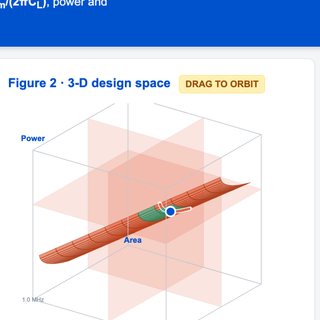 GBW · Power · AreaGBW · Power · Area — 📘 Analog Circuit Design — gain bandwidth product GBW power area tradeoff op-amp opamp amplifier design space current budget figure of merit
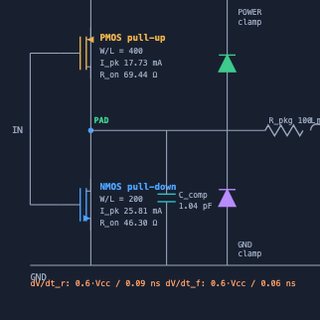 IBIS Model BuilderIBIS Model Builder — 📘 Analog Circuit Design — IBIS buffer model signal integrity I/O driver receiver IV curve VT waveform package parasitics .ibs
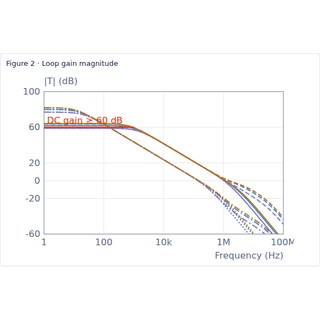
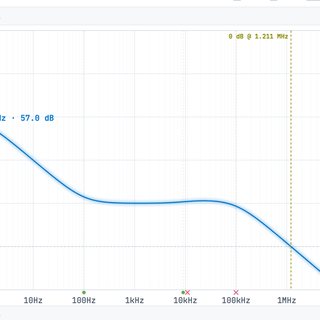 Bode Plot SandboxBode Plot Sandbox — 📘 Analog Circuit Design — Bode plot poles zeros magnitude phase margin gain margin transfer function frequency response stability compensation
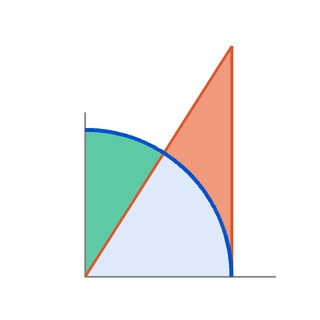 RC Noise Bandwidth · kT/CRC Noise Bandwidth · kT/C — 📘 Analog Circuit Design — thermal noise 4kTR kT/C equivalent noise bandwidth ENBW pi/2 1/(4RC) spot noise integrated rms quarter circle arctan brick wall Thevenin TIA SNR
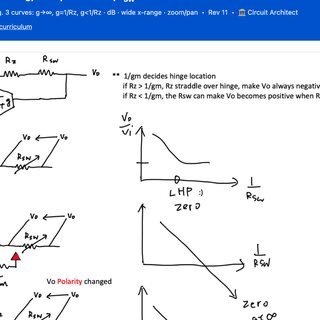 OTA Inverting AmpOTA Inverting Amp — 📘 Analog Circuit Design — OTA operational transconductance amplifier inverting closed loop gain feedback factor loading virtual ground
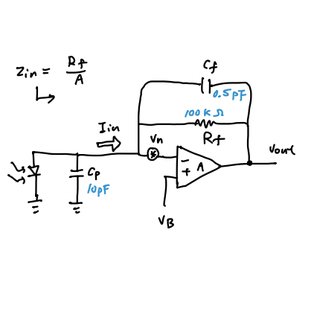 Photodiode TIA · local filePhotodiode TIA · private repo — 📘 Analog Circuit Design — TIA transimpedance amplifier photodiode Rf Cf feedback capacitor Cp input capacitance noise gain 1/beta phase margin peaking GBW Zin Rf/A virtual ground private GitHub repo
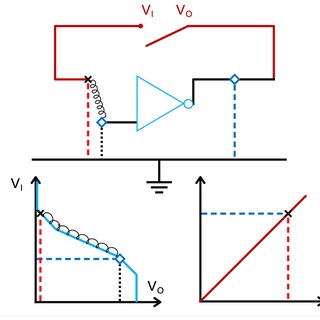 Inverter Self-BiasInverter Self-Bias — 📘 Analog Circuit Design — self-biased CMOS inverter operating point V_M switching threshold VTC transfer curve unity gain feedback animation leakage droop settling
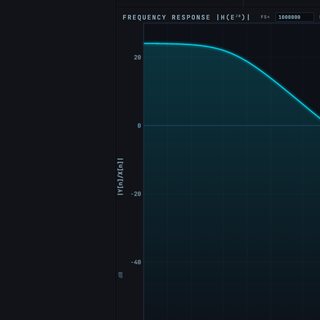 Biquad SandboxBiquad Sandbox — 📘 Analog Circuit Design — biquad active filter low-pass high-pass band-pass notch Sallen-Key quality factor Q cutoff second order
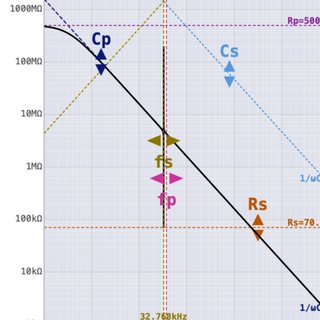 Crystal OscillatorCrystal Oscillator — 📘 Analog Circuit Design — crystal oscillator quartz Pierce resonator negative resistance motional ESR load capacitance startup margin
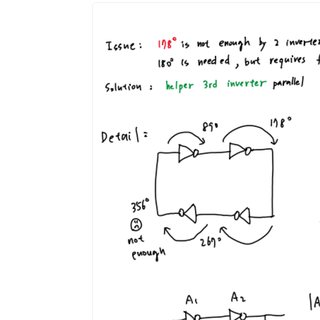 Ring Oscillator — Phase ModelRing Oscillator — Phase Model — 📘 Analog Circuit Design — ring oscillator phase model VCO jitter phase noise delay stage inverter chain period
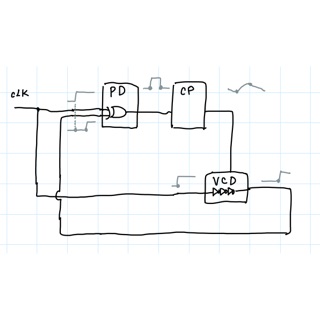 Delay-Locked Loop · local fileDelay-Locked Loop · private repo — 📘 Analog Circuit Design — DLL delay-locked loop VCDL voltage-controlled delay line phase detector PFD XOR charge pump loop filter first-order loop gain Icp Kdl/C harmonic lock false lock start-up 90 degree clock alignment
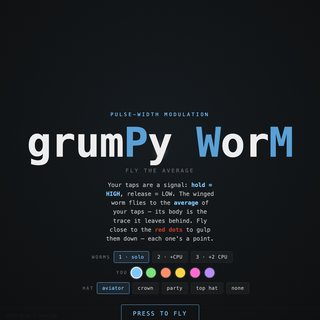 grumPy WorMgrumPy WorM — 📘 Analog Circuit Design — PWM pulse width modulation delta-sigma data converter teaching toy flappy game duty cycle
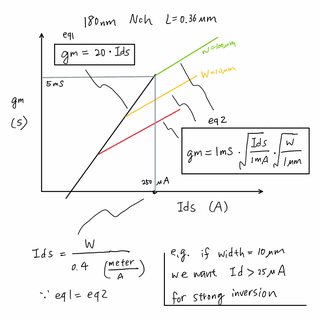 gm/Id First-Order Estimatorgm/Id First-Order Estimator — 📗 Device Physics — gm/Id transconductance efficiency MOSFET sizing inversion level weak strong Vdsat headroom process node first-order
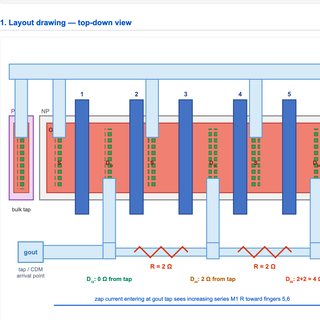 ESD — Protection & Debug HubESD — Protection & Debug Hub — 📗 Device Physics — ESD electrostatic discharge HBM CDM MM clamp protection latch-up I/O pin failure debug hub
 3D Fourier Cos/Sin3D Fourier Cos/Sin — 📙 Engineering Mathematics — Fourier series transform cosine sine harmonics spectrum DFT FFT 3D visualization basis functions
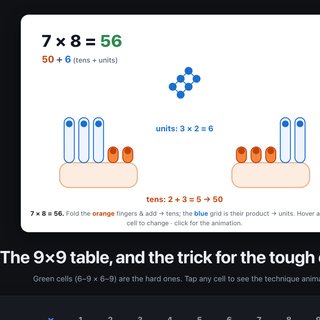 Finger MultiplicationFinger Multiplication — 📙 Engineering Mathematics — finger multiplication mental math arithmetic times table trick nines
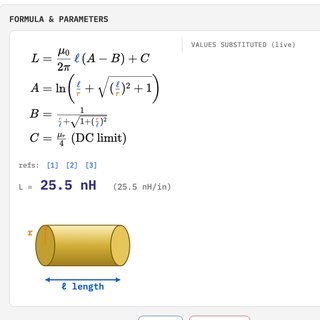 Inductance CalculatorInductance Calculator — 📕 Electromagnetics & RF — inductance calculator loop wire bond trace solenoid nanohenry nH geometry mutual self
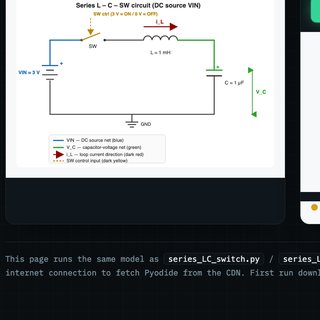 Transient L-C-SWTransient L-C-SW — 📕 Electromagnetics & RF — transient LC switch RLC ringing step response damping energy transfer time domain
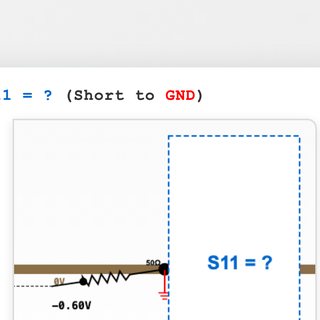 S11 when Shorted to GNDS11 when Shorted to GND — 📕 Electromagnetics & RF — S11 S-parameters reflection coefficient short to ground Smith chart return loss VSWR impedance match
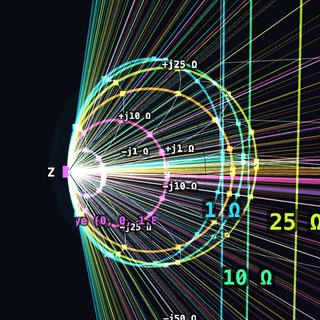 Smith Sphere · private repoSmith Sphere · private repo — 📕 Electromagnetics & RF — Smith chart sphere Riemann stereographic projection impedance point at infinity three.js private GitHub repo
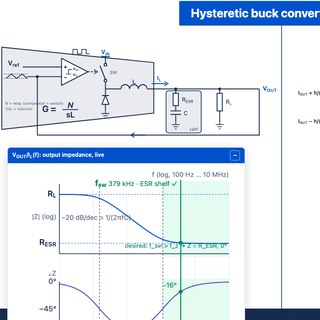 Hysteretic Buck Converter · private repoHysteretic Buck Converter · private repo — 📒 Power Electronics — hysteretic buck converter bang-bang relay comparator DC-DC switching frequency fsw ripple ESR ceramic cap output impedance inductor duty cycle synchronous NMOS dead time startup private GitHub repo
 LDO LDR ChecklistLDO LDR Checklist — 📒 Power Electronics — low dropout regulator design review stability phase margin loop gain dropout current limit foldback load transient line transient PSRR startup inrush load regulation VREF trim offset Monte Carlo Cpk quiescent current reverse current thermal shutdown noise EMIR aging ADE XL Assembler maestro SKILL script
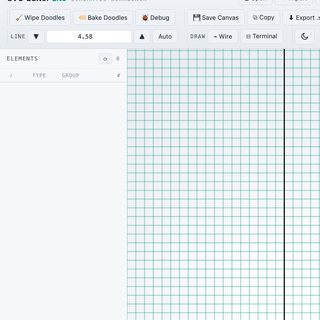 SVG Editor LiteSVG Editor Lite — 🛠 Lab Tools — SVG editor vector drawing schematic figure markup lightweight browser
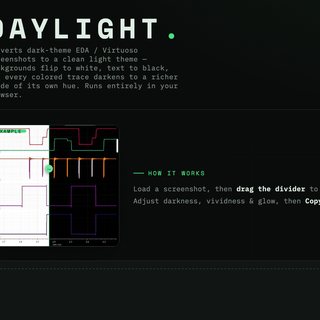 Brighten EDA Dark ThemeBrighten EDA Dark Theme — 🛠 Lab Tools — brighten EDA dark theme screenshot contrast invert Cadence Virtuoso waveform image readable
 Repo SummaryRepo Summary — 🛠 Lab Tools — repository summary GitHub repo index catalog overview tool
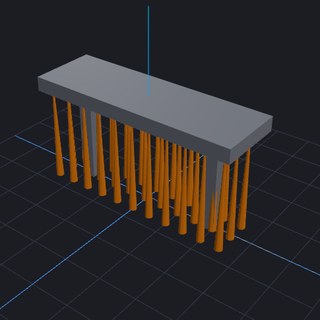 3D Print Tools — Easy Support & 3D Browser3D Print Tools — Easy Support & 3D Browser — 🛠 Lab Tools — 3D print tools STL support generator mesh browser overhang slicer printing
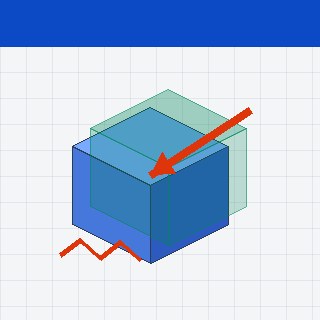 3D Markup + Overlay Viewer3D Markup + Overlay Viewer — 🛠 Lab Tools — 3D markup overlay viewer annotate model review compare STL mesh

 Catch BigfootCatch Bigfoot — 🎮 Recess — Games & Fun — game Catch Bigfoot arcade fun play
 RoadblocksRoadblocks — 🎮 Recess — Games & Fun — game Roadblocks puzzle driving obstacle fun play
 Lake FulmoreLake Fulmore — 🎮 Recess — Games & Fun — game Lake Fulmore adventure exploration fun play
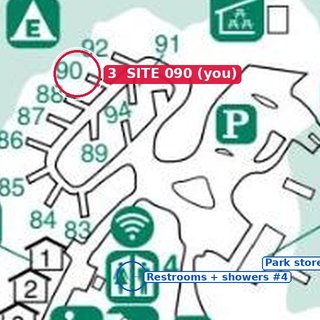 Inks Lake CampingInks Lake Camping — 🎮 Recess — Games & Fun — trip page camping Inks Lake State Park Burnet Texas campsite map route Austin Halloween
 Campsite MoviesCampsite Movies — 🎮 Recess — Games & Fun — campsite movies camping film list outdoor screen night
 Piano TheoryPiano Theory — 🎮 Recess — Games & Fun — piano music theory chords scales intervals keyboard circle of fifths
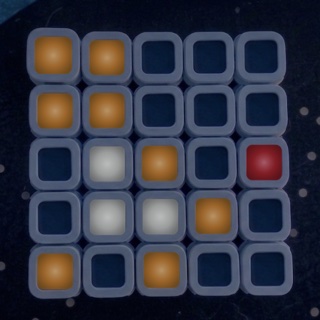 Tile Pixel PainterTile Pixel Painter — 🎮 Recess — Games & Fun — light grid puzzle 5x5 magnetic LED tiles pixel art paint colors presets pattern
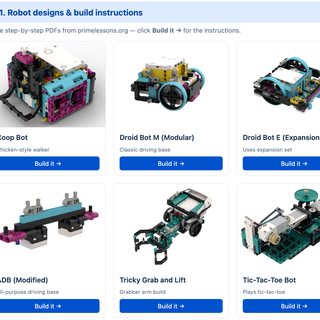 LEGO SPIKE PrimeLEGO SPIKE Prime — 🎮 Recess — Games & Fun — LEGO SPIKE Prime robotics projects kids motors sensors build
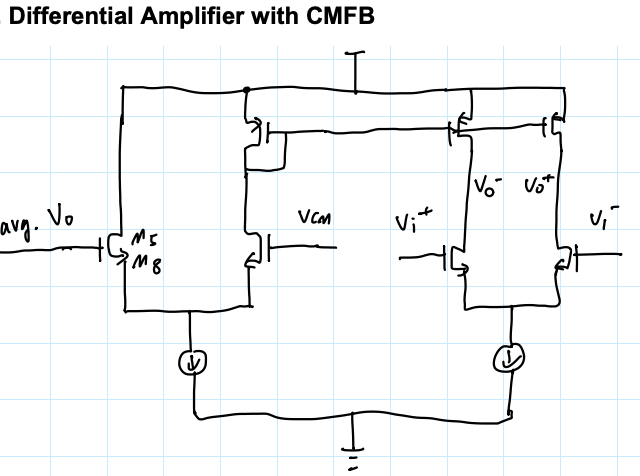
![Hand-drawn schematic: 3-bit PRBS LFSR, three D flip-flops with XOR feedback — x³ + x + 1 = 0, i.e. x[n+3] = x[n+1] ⊕ x[n]](img/notes/prbs-lfsr.png)